From total beginners to seasoned pros, here’s everything you need to pick the right gaming mouse without wasting money. Let me guess. You’ve opened about fifteen browser tabs, read through a bunch of spec sheets, and you’re still not sure which mouse to buy. Every product page claims to be the “best,” every review site throws around numbers like DPI and polling rate without really explaining what they mean, and at the end of it you’re more confused than when you started.
I’ve been there. And that’s exactly why I put this guide together.
After testing dozens of gaming mice across different budgets and setups, I want to give you something actually useful. Not a list of specs. A real explanation of what matters, what doesn’t, and which mice are worth your money in 2026.
Whether you’re picking up your first dedicated gaming mouse or upgrading after years of using the same one, this guide will help you make a decision you won’t regret.
Does Your Mouse Actually Matter?
Before we get into the details, let me answer the question a lot of people quietly wonder about.
Yes, your mouse matters. More than most people realise.
Your keyboard handles shortcuts and abilities. Your headset handles communication. But your mouse is doing something different entirely. It’s handling real-time movement. Every aim adjustment, every quick turn, every precise click in a tense moment runs through your mouse first. A mouse that skips, lags, or just feels wrong in your hand creates a constant friction you eventually stop noticing but never stop dealing with.
The good news is that you don’t need to spend a lot to get something genuinely good. The gaming peripheral market is competitive enough in 2026 that even affordable mice come with solid sensors and reliable builds. You just need to know what to look for so you don’t accidentally pay too much for specs you don’t need, or too little and end up with something that lets you down.
What Actually Matters When Buying a Gaming Mouse
Sensor Quality
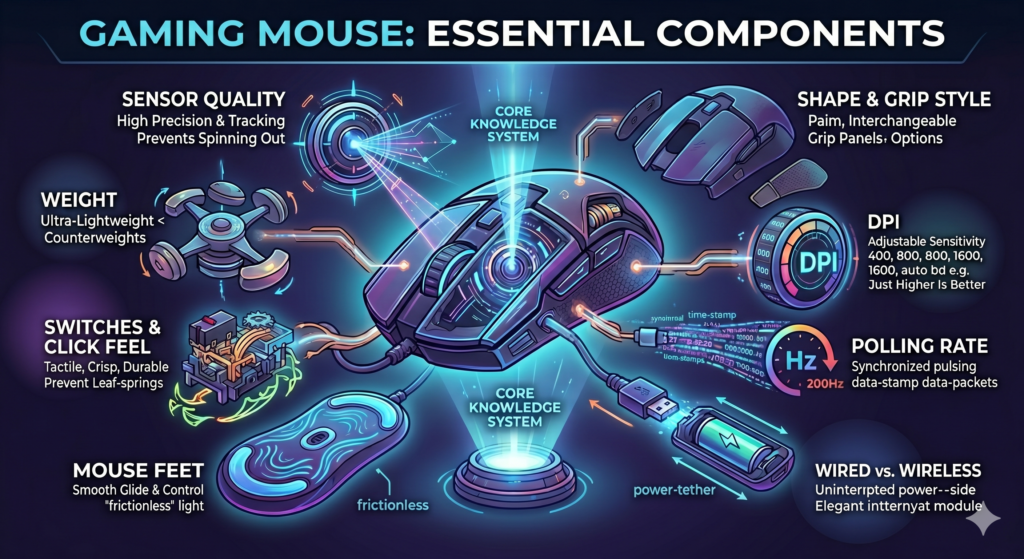
The sensor is the core of the mouse. Everything else is secondary. It’s the part that reads your movement and translates it into cursor motion on screen, and a bad sensor will undermine every other good thing about a mouse.
There are two types. Optical sensors use an LED light to detect movement across your surface. They’re accurate, consistent, and the clear choice for gaming. Laser sensors go deeper into the surface and can technically work on more materials, but they’ve historically had issues with inconsistency at higher speeds. Nearly every serious gamer today uses an optical mouse.
A word of warning about big DPI numbers: a mouse advertised as having “up to 25,600 DPI” tells you almost nothing useful. Sensor quality and maximum DPI are completely different things. A cheap sensor at 25K DPI will lose to a good sensor at 800 DPI every single time.
DPI
DPI stands for dots per inch. It controls how far your cursor travels on screen for every physical inch you move the mouse. Higher DPI means more cursor movement per inch.
Here’s what the marketing doesn’t tell you: most competitive gamers play between 400 and 1600 DPI. Professional FPS players in particular often sit at 400 to 800. This surprises a lot of people because product pages push these massive numbers like they’re a selling point.
The reality is that high DPI isn’t better. It’s just more movement per inch. Whether that’s useful depends entirely on your sensitivity settings and the games you play. What matters is that the mouse can hold whatever DPI you set it to cleanly, without jittering or skipping.
So when you’re comparing mice, don’t let max DPI sway your decision. Focus on the sensor. The DPI range will almost certainly be wider than you’ll ever need.
Polling Rate
Polling rate measures how many times per second your mouse reports its position to your computer. The unit is Hz. A mouse running at 125 Hz checks in with your PC 125 times per second. At 1000 Hz, it’s doing that 1000 times per second. The difference shows up as input delay: 8 milliseconds at 125 Hz versus 1 millisecond at 1000 Hz.
For most people, 1000 Hz is the sweet spot and the standard you should be looking for. It’s fast enough that the latency becomes imperceptible during gameplay.
Some newer mice now support 4000 Hz or even 8000 Hz polling. These are real improvements, but they’re mainly relevant at the competitive or professional level. They also demand more from your CPU to process, so if your setup isn’t high-end, running 8K polling can actually hurt performance rather than help it.
Unless you’re playing at a highly competitive level, 1000 Hz is all you need and anything less is a compromise you shouldn’t have to make.
Wired vs. Wireless
A few years ago this was a real debate. Wireless mice had measurable input lag, and competitive players stuck to wired as a matter of principle. That conversation has mostly moved on.
Today’s wireless gaming mice using 2.4 GHz connections have closed the latency gap to the point where the difference is not perceptible during gameplay. Many professional esports players have made the switch and don’t look back. The benefit of wireless is that you completely remove cable drag from the equation, which is a real quality-of-life improvement over long gaming sessions.
Wireless does cost more. You’re paying a premium for the technology, and you’ll need to think about charging. If budget is tight, wired is still an excellent choice. But if you have the room in your budget, 2.4 GHz wireless is worth considering seriously.
One thing to watch: make sure wireless mice use a 2.4 GHz proprietary connection with a USB dongle, not Bluetooth. Bluetooth has higher and less consistent latency, and it’s not suited to fast-paced gaming regardless of what the product page says.
Weight
The shift toward lighter mice has been one of the most significant trends in the gaming world over the past several years. Mice in the 60 to 80 gram range are now considered standard for competitive gaming, and some ultra-light models come in under 55 grams.
Why does lighter matter? A lighter mouse requires less effort to move, which means less arm and wrist fatigue over a long session. It also allows for faster flicks and easier precision adjustments. Players who game for hours at a stretch often notice the difference more than anyone.
That said, lighter isn’t universally better. If you play slower-paced games like MMOs, strategy titles, or RPGs, you might actually prefer a heavier mouse. The added weight gives you more resistance and a sense of stability that works well when precision flicking isn’t a priority.
As a rough estimate, if you play FPS or battle royale games, aim for something under 80 grams. For everything else, comfort and shape matter more than the weight itself.
Shape and Grip Style
This is the most personal part of choosing a mouse, and it’s the part most guides rush past. A mouse that’s perfect for someone else can feel genuinely uncomfortable in your hands, and discomfort over hours of gameplay is a real problem. Your grip style shapes everything.
Palm grip players rest their entire hand on the mouse, with the palm, fingers, and thumb all making full contact. It’s the most relaxed grip and works well for low-sensitivity players who make large, sweeping arm movements. If this is you, look for taller, longer mice with a pronounced rear hump.
Claw grip players keep their palm on the back of the mouse but arch their fingers upward so only the tips touch the buttons. It’s a faster clicking style and gives good control. Medium-height mice with a noticeable curve tend to suit this grip well.
Fingertip grip players hover the palm off the mouse entirely, controlling everything through the fingertips. It’s the most agile grip style and favored by players who rely on fast, precise movements. Smaller and lighter mice work best here.
Not sure which grip you use? Put your hand on your current mouse right now without thinking about it. That natural position tells you everything.
Switches and Click Feel
Every time you click the mouse button, you’re activating a switch underneath. The quality of that switch affects how clicks feel, how quickly they register, and how long the mouse lasts.
Optical switches, found in mice from Razer and a few other brands, use a light beam instead of physical contact. This completely removes the small delay caused by debounce timing in mechanical switches. The clicks are fast, crisp, and consistent. They’re ideal for fast-paced games where quick, accurate clicking genuinely affects outcomes.
Mechanical switches, often from brands like Omron or Kailh, are still excellent and cover the majority of the market. When shopping, look for switches rated at 50 million clicks or more. That’s the number that typically separates quality components from cheaper alternatives.
What you want to avoid is a mouse with mushy, wobbly buttons. If there’s a lot of looseness before the button actually registers a click, that’s going to get frustrating quickly.
Mouse Feet/ Base
This one gets overlooked constantly, and it probably shouldn’t. The feet on the bottom of your mouse determine how it glides across your surface, and bad feet can make even a great mouse feel sluggish and frustrating to use.
Quality mice ship with PTFE feet, often called Teflon feet. They’re smooth, fast, and consistent. On budget mice, the feet are sometimes the first corner that gets cut, and you’ll notice it.
The good news is that replacement feet are cheap, usually $5 to $10, and swapping them out is straightforward. But ideally, you’re not dealing with that on a new purchase.
If you’ve ever felt like you’re fighting your mouse across the pad, the feet or the pad surface itself are worth investigating before you blame the mouse entirely.
Top Picks for 2026
Below are some of the recommended gaming mice available on Amazon that I personally reviewed and shortlisted based on important factors like comfort, build quality, responsiveness, RGB lighting, and overall value for money. I selected these recommendations by keeping in mind the essential things you should actually check before buying a gaming mouse, so you can choose a reliable option instead of wasting money on low-quality products that only look attractive online.

- Fast and Precise Wireless Gaming Mouse: A pro gaming icon—now faster and more precise; it is designed in collaboration w…
- Pro Precision: LIGHTFORCE hybrid optical-mechanical switches enable pro-level precision, reliability and ultralow latenc…
- Most Advanced Optical Sensor in Gaming: HERO 2 features tracking over 500+ IPS, up to 32,000 DPI and precise sensor cali…

8, 000 DPI gaming-grade sensor responds precisely to movements. Customize your sensitivity settings to suit the sens…
Play comfortably and with total control. The classic and simple 6-button layout and classic gaming shape is a comfor…
Worlds NO. 1 Gaming Gear Brand – Based on independent aggregated sales data (FEB 19 – FEB 20) of Gaming Keyboard, Mi…
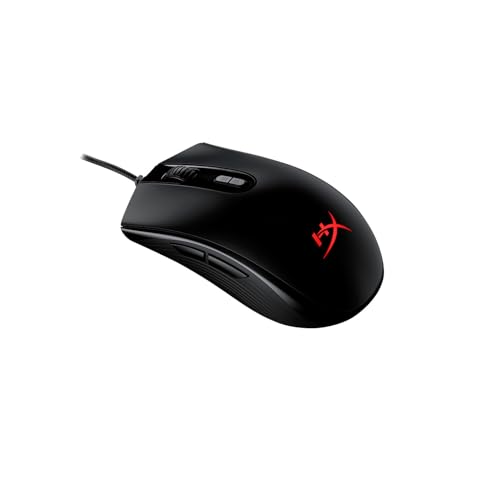
- [Pixart 3327 optical sensor] : The solid Pixart 3327 sensor provides precise tracking without hardware acceleration and …
- [Easy customization with HyperX NGENUITY software] : Create macros, customize RGB lighting and DPI and save it to the Pu…
- [Customizable RGB lighting] : Add a personalized touch of RGB style to your setup.
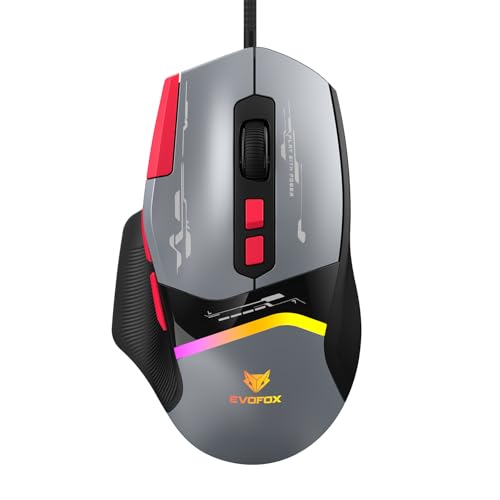
- 𝗨𝗹𝘁𝗿𝗮-𝗙𝗮𝘀𝘁 𝗣𝗼𝗹𝗹𝗶𝗻𝗴 𝗥𝗮𝘁𝗲 & 𝗣𝗿𝗲𝗰𝗶𝘀𝗶𝗼𝗻 𝗗𝗣𝗜 𝗖𝗼𝗻𝘁𝗿𝗼𝗹: With up to 1000 Hz polling and 12,800 DPI, this mouse delivers ultra-re…
- 𝗛𝗶𝗴𝗵-𝗦𝗽𝗲𝗲𝗱 𝗧𝗿𝗮𝗰𝗸𝗶𝗻𝗴 & 𝗔𝗰𝗰𝗲𝗹𝗲𝗿𝗮𝘁𝗶𝗼𝗻: Experience competitive edge with 20G acceleration, 7000 FPS tracking, and 60 IPS spe…
- 𝟴 𝗣𝗿𝗼𝗴𝗿𝗮𝗺𝗺𝗮𝗯𝗹𝗲 𝗕𝘂𝘁𝘁𝗼𝗻𝘀 𝗳𝗼𝗿 𝗙𝘂𝗹𝗹 𝗖𝗼𝗻𝘁𝗿𝗼𝗹: Customize macros and shortcuts to match your playstyle, giving you faster react…

- Honeycomb Design- The honeycomb design makes the mouse very lightweight for comfort and faster movement. You can also us…
- Software Support- Customize all the mouse settings, macros, RGB, Functions using the software compatible with Windows OS
- Paracord Cable- Paracord cable is extremely lightweight which make the mouse feel like wireless
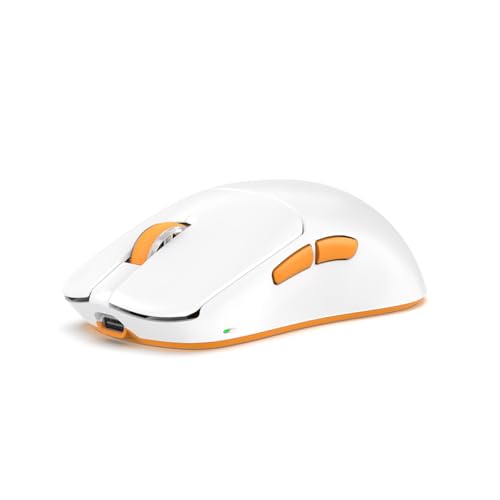
- 🎯 PixArt PAW3395 Sensor for Esports Precision: Dominate every match with the high-end PAW3395 sensor offering 26,000 DPI…
- 🔗 Tri-Mode Connectivity (2.4GHz + Bluetooth + USB): Switch between ultra-low-latency 2.4GHz wireless, Bluetooth for mult…
- 💨 Ultra-Lightweight 39g Design: Crafted for agility and control — one of the lightest tri-mode gaming mice ever, ideal f…

- HERO Sensor: Next generation HERO sensor delivers precision tracking up to 25,600 DPI with zero smoothing, filtering, or…
- 11 Programmable Buttons:11 programmable buttons and dual-mode hyper-fast scroll wheel give you fully customizable contro…
- Adjustable Weights:Arrange up to five 3.6g weights for personalized weight and balance configuration.
Common Questions Asked
Will a better mouse make me a better player?
It removes obstacles. A quality mouse won’t miss-track, won’t have inconsistent clicks, and won’t wear out your wrist after a few hours. That won’t turn a beginner into a pro, but it does mean your gear stops being a variable you have to compensate for.
Is wireless really okay for competitive gaming?
For most players, absolutely. Modern 2.4 GHz wireless mice from Logitech, Razer, and Pulsar have input latency that’s effectively the same as wired. The main remaining advantage of wired is simplicity and no charging to think about.
What DPI should I actually use?
Start at 800 and adjust from there. Most competitive players land somewhere between 400 and 1600. The number that matters is whichever lets you aim comfortably without constantly over or undershooting. It has more to do with in-game sensitivity than DPI itself.
How long should a gaming mouse last?
A quality gaming mouse should comfortably last three to five years. Signs it’s time to replace include double-clicking from a single press (a common failure in aging switches) or tracking that becomes inconsistent or jittery at lower speeds.
If you’re also interested in accessories and tech buying guides, we recently reviewed different USB-C cables and explained the important things people should check before buying one. You can read that article as well to avoid common buying mistakes and choose better products for your daily setup